

I Gave Claude Control Of My Computer for 3 Hours to Help Me Automate My Life
Going all-in on automating my life — here's what happened in the first three hours after giving Claude the wheel.

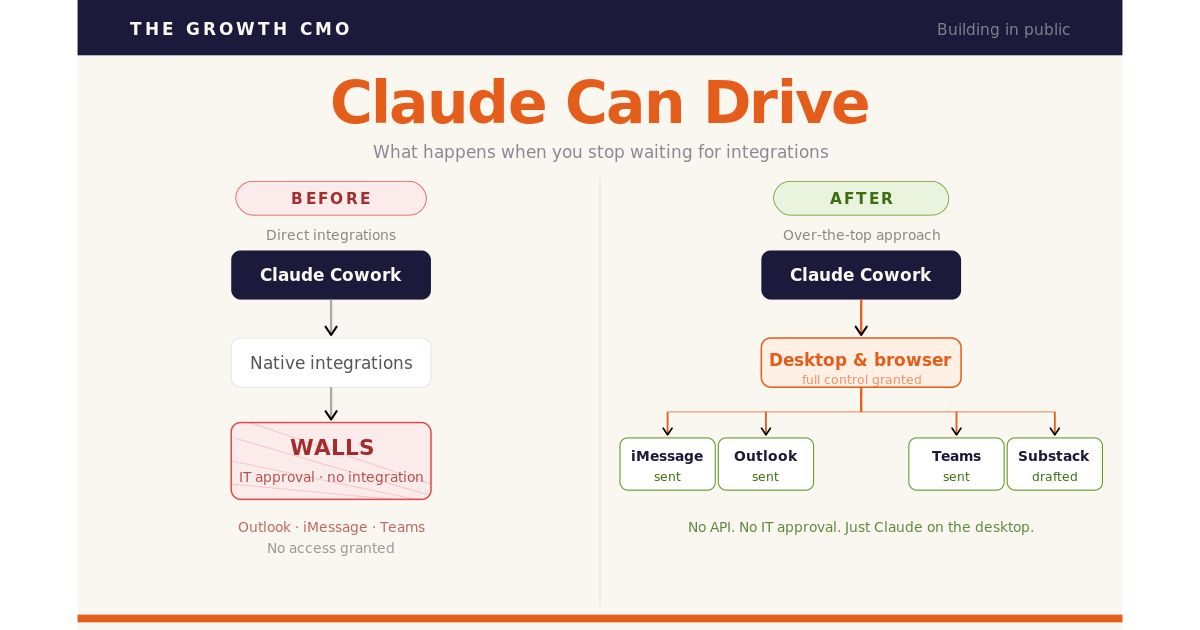
March 1st: I paid for Claude CoWork. Goal: do more while expending less energy. And eventually bring that leverage to my marketing team and outbound sales motion.
It didn’t go well.
The first thing I wanted to automate was sending iMessages. Keeping up with people over text, even the ones who matter most to me, feels weirdly draining. I avoid it. Feel bad about it. And wanted to fix that. But the Claude CoWork iMessage integration didn’t work for me, so I walked away.
I used Claude to draft some blog posts and make some PowerPoint decks, but didn’t get any further with automating my life.
Till today.
April 22nd 5PM: I sat down to try again. It’s currently 7:41. Everything below - including these 3 pretty cool workflows - all happened in the past 3 hours.
5PM: The Setup
I asked Claude to send an email to my wife. It’s first instinct was the native integration — connect Claude directly to Outlook. The “right” way.
But it hit a wall. An Outlook connector exists, but my company’s IT admin would need to first approve it.
So I zoomed out. RPA has been a thing for a decade. Can’t Claude can take control of my desktop? Perhaps it can go “over the top” and do whatever I need the same way I would.
I Gave Claude control of my computer instead.
It took 5 steps to get “computer use” working. Install the chrome extension, enable screen recording, enable accessibility settings, etc.
And then I tried again.
This time it opened the Outlook desktop app (didn’t even know I had that), waited a few minutes (because nobody had opened that app before), navigated to compose, filled in the recipient and body, and sent the email.
No API. No integration. Just Claude operating software like a person would.
I watched it happen in real time. Wasn’t sure whether to be impressed or slightly unsettled. Landed on impressed.

“Holy shit,” I thought. “I’d better take some screenshots. This could totally be a substack post.”
5:45PM: The Text Message Test to My Bestie
As I said, I find texting exhausting. and the native iMessage<>Claude integration hadn’t worked a month ago. So I tried the same workaround.
I told Claude who to text and what to say.
Claude pulled up iMessage, found the right conversation, typed the message, hit send.
The text it sent to my friend Rags:

Done. That’s the win. Not waiting for perfect integrations. Finding a path through anyway.
5:47PM Now We’re Cooking with Wispr Flow
I’d been hearing about WisprFlow — it’s voice dictation that lets you narrate instead of type. I’d set it up on my iPhone weeks ago, but hadn’t really seen the point.
But today I was inspired.
So while Claude was doing its thing, I installed WispFlow on my desktop.
Wispr says my voice runs 3x faster than my typing. Less friction going in, which means I actually stay in it long enough to get somewhere.
6:21PM: But Can It Talk to Microsoft Teams?
Next I decided to see if Claude could go “over the top” to send a Teams message to a a coworker. When I’d hit that Outlook integration wall earlier, I figured I should ping our IT guy.
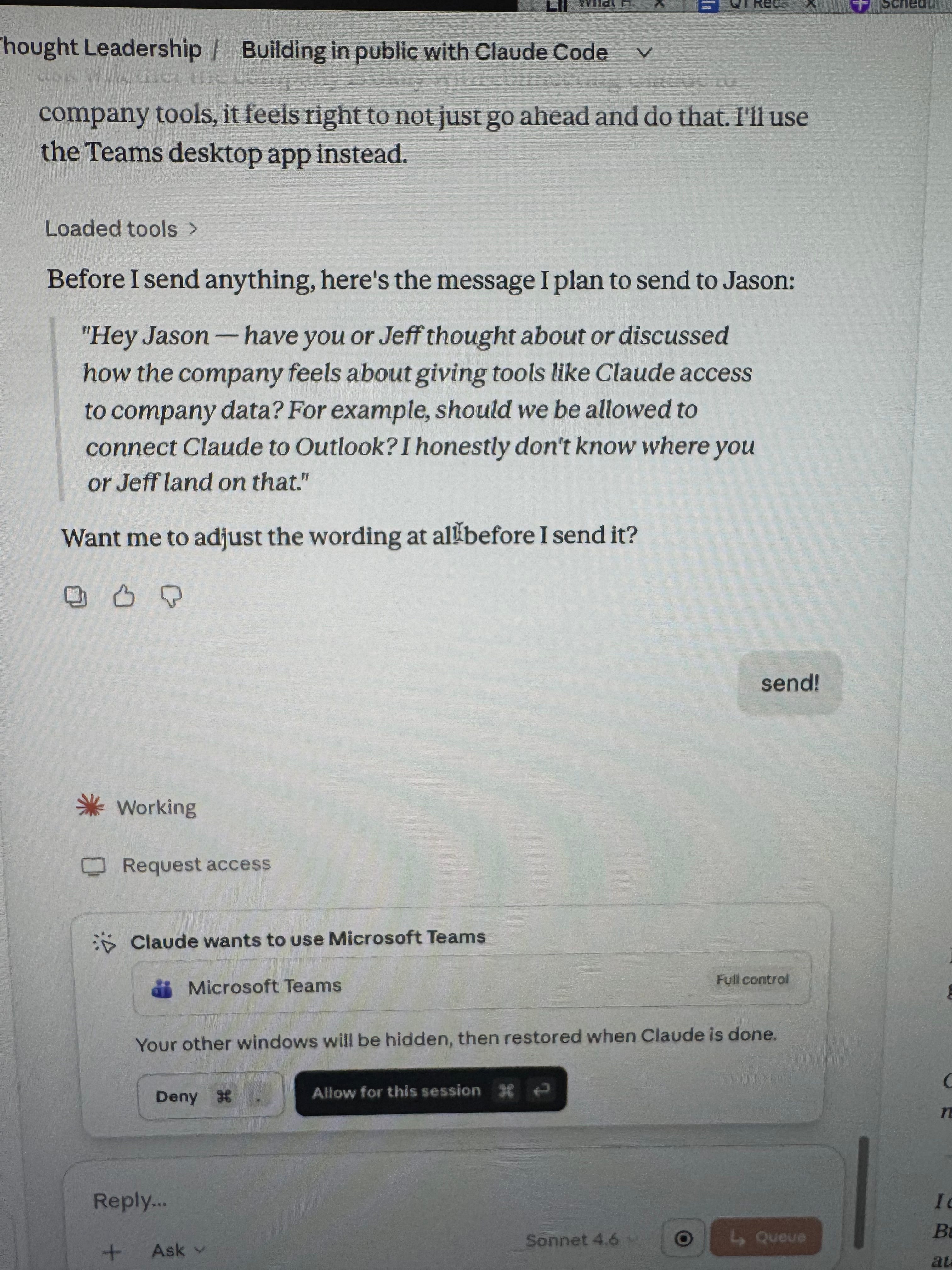
Claude actually has a native Teams integration — but like Outlook, Jason would need to approve it.
Same workaround: Claude opened Teams, found the right conversation, typed the message, paused to get my approval, and then hit send on it’s own!
SUCCESS!
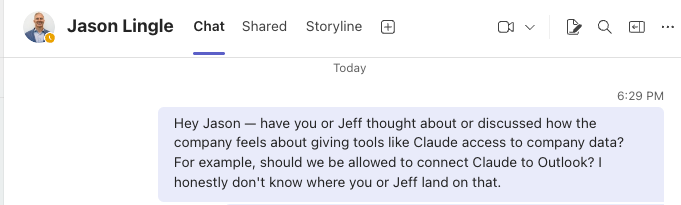
The irony isn’t lost on me that I used Claude to ask whether we’re allowed to use Claude.
The desktop workaround sidesteps the permission issue for now — but it’s a question every company is bound to be grappling with.
6:40PM: Drafting the Substack Post
I decided I wanted to try to publish my adventure. Tonight.
(BTW that never happens. most of my posts are months in the making)
So as we did the Teams message, I started narrating my journey via Wisprflow into Claude.
I asked Claude to make edits.
I asked Claude for Title and subtitle options.
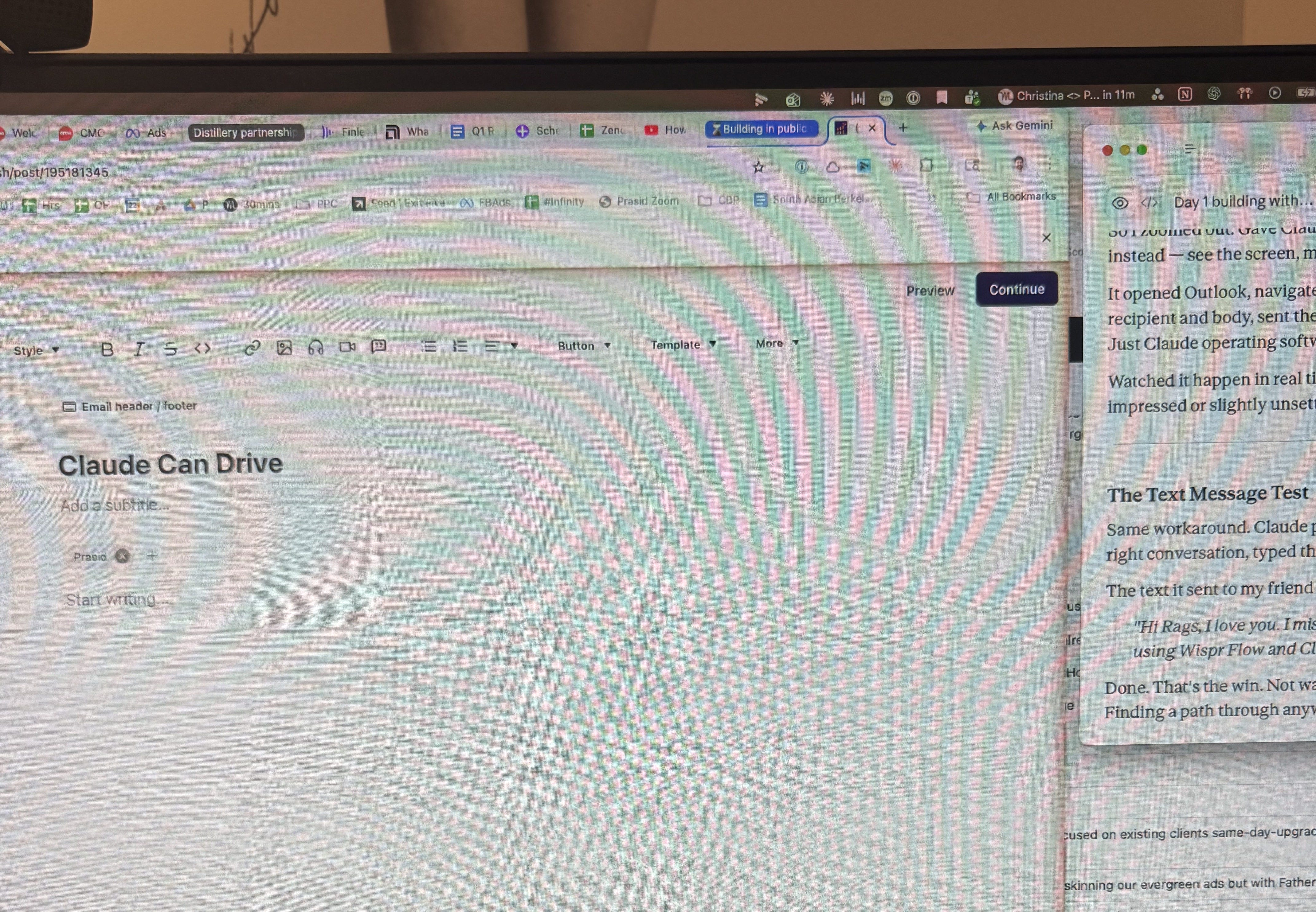
And then I had Claude go into chrome, into Substack, find my publication, and paste the draft.
Holy Smokes. It did it! 🤯
7:24PM: Where This Is Going
Three Hours using Claude CoWork and I feel like a trailblazer.
I’m now editing the substack post and Claude is working on a social image to go with it.
So “What’s Next?” as my dear President Bartlett might say.
I’d love to automate a coordinated string of outbound sales touches — emails, LinkedIn messages, and SMS.
SMS especially.
When you’re selling to CEOs and leveraging personal relationships, a text is the most intimate and powerful channel. And thus far, it’s also been the channel with the fewest integrations into the standard sales automation tools, which means it’s reply-rate is still excellent. If Claude can drive that natively through the desktop, that could be a real edge for me and my team.
Final thought: WisprFlow as a Writing Tool
One last thing: this was the first substack post I’ve ever written entirely by talking, not typing. Every word was narrated into Wispr Flow into Claude.
I still did the final round of editing by-hand — that was the most time-consuming part - and I don’t know that i’ll ever allow the robots to take that away.
But they say it’s easier to edit than to write from a blank page. And the Wisprflow→Claude→Substack creative process was 100% a game-changer for getting past that blank page.
Very interesting post! I've never used Whisprflow but sounds like something worth experimenting with. At the end of the day though, you're still dictating the emails and texts you want sent right? You say for instance that you don't enjoy sending texts yourself, and yet by having Claude do it, you still need to dictate to Claude what you want to say, right?
So in that way, the real pain point is alleviates is if you just hate the physical act of typing into your iphone an imessage response.
But I'm not sure that's the main pain point for people. At least for myself, I also struggle to respond to people regularly, but it's more about "well, if I text now, then they may want to talk some more, do I have the mental bandwidth to do that" or "it's been a while since I've texted them back, I feel guilty about this, so I'm going to compartmentalize and just avoid texting back till later so I don't have to think about my guilt".
Claude can't help with any of those things sadly. What particular time savings/pain points are you solving for that maybe I'm not picking up on?
It's interesting that I've read a lot about tech platforms putting out MCP layers, but in this case your "over the top" mental model doesn't really require this.
Also makes me wonder if Claude + Computer use = end of RPA category.
What tasks do you feel are too fragile or high-stakes to hand over?